Rand Mutual Assurance (RMA) : Register For Online Services
Organisation : Rand Mutual Assurance (RMA)
Facility Name : Register For Online Services
Country : South Africa
Website : https://www.randmutual.co.za/information-zone#4613-employers
| Want to comment on this post? Go to bottom of this page. |
|---|
How To Register For RMA Online Services?
RMA has streamlined the registration process with a self-help model that allows for convenient and efficient online registration.
Related / Similar Facility : Rand Mutual Assurance (RMA) Medical Portal Registration
Step-1:
Click on the “Online Services” tab.
Step-2:
Click on “Register for Online Services” link
Step-3:
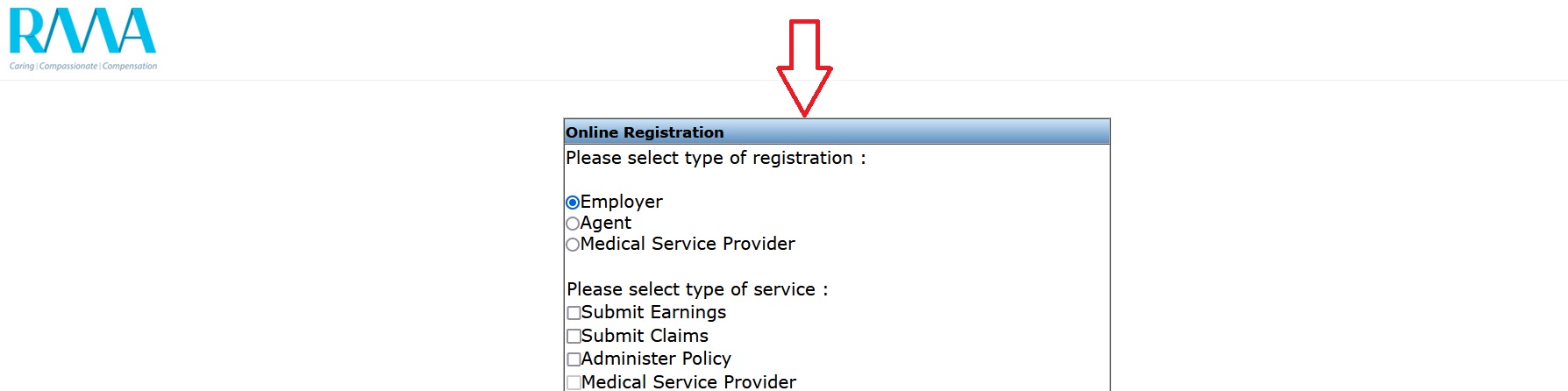
Complete the online registration form and click “Register” once completed. Please use your BP number as the CF reference number.
Step-4:
We will send your new log in details by email which you can use for future log-ins to the system.
FAQ On RMA
Frequently Asked Questions FAQ On Rand Mutual Assurance (RMA)
How do I submit earnings declarations?
Once you have received your user name, password and authentification key, you will have immediate access to RMA’s system via the online web portal as follows:
Online Declarations:
Once you have received registered with RMA’s online services and received the email containing your username, password and authentication key, you may submit your earnings online as follows:
Step 1: Click on the Online Services tab
Step 2: Click on the Earnings Declaration Submission link.
Step 3: Click on the Online Declarations tab, followed by “New Declaration”.
Manual Submission:
If you are unable to submit your declarations online, you may do so as follows:
Step 1: Click on the Downloads tab
Step 2: Click on the Forms link
Step 3: Download the Budgeted Declaration Form
Step 4: Email the completed and signed form to RMAscannings@randmutual.co.za

How do I receive my invoice from RMA?
RMA requires your company VAT number which can be emailed to us on RMAscannings@randmutual.co.za. On receipt of your earnings declaration and VAT number, you will receive a tax invoice from RMA.
How do I register a claim?
Quick and easy telephonic reporting through the RMA Contact Centre on 0860 222 132; Online claims submissions through RMA’s user-friendly claims management module, known as C-Filing. This can be accessed by clicking on the Online Services tab, followed by the Electronic Submission of Claims link (please ensure that you are registered with Online Services before submitting a claim).
What is the process once a claim has been registered?
1. Supply the injured employee with the claim number
2. Update outstanding information to the claim notification as follows:
** Update the banking details of the injured employee to the system
** Update the accident earnings to the system
** Update contact details which may still be outstanding
3. Submit scanned medical reports
4. Submit Days Off claims
Good day
My names Bongani Gift Malindi please help me with my final medical report document..i have all documents from hospital discharge information and first medical report document, progress medical report and final medical report I don’t know what to do